Key Terms & Definitions

Term Meaning
Total Price The gross amount a guest paid for a reservation including taxes (before Hostaway or OTA fees).
Channel The booking platform (e.g. Airbnb, VRBO, Booking.com, Direct).
Total Nights The total number of booked nights for a listing or time period.
Owner Payout The amount remitted to the property owner after management fees and expenses.
Total Price Airbnb The gross amount a guest paid for a reservation including taxes (before Airbnb fees).
Total Airbnb Nights The total number of booked nights for a listing on Airbnb.
Total Price Direct The gross amount a guest paid for a reservation including taxes on all OTAs besides Airbnb (before platform fees).
Total Nights Direct The total number of booked nights for a listing on all OTAs outside of Airbnb.
Airbnb Addtl Tax Any tax collected by Airbnb which they do not remit on behalf of the owner (i.e. a local county tax).

How to View Financial Reports in Hostaway

Log In

1.
Go to the Owner Portal login (Hostaway).
2.
Enter your credentials. If this is your first time, you’ll be prompted to reset your password.
Tip: If you forget your password, use the “Forgot Password” link or contact your account manager.

Navigate to Financial Reporting

1.
From the sidebar, select Financial Reporting.
2.
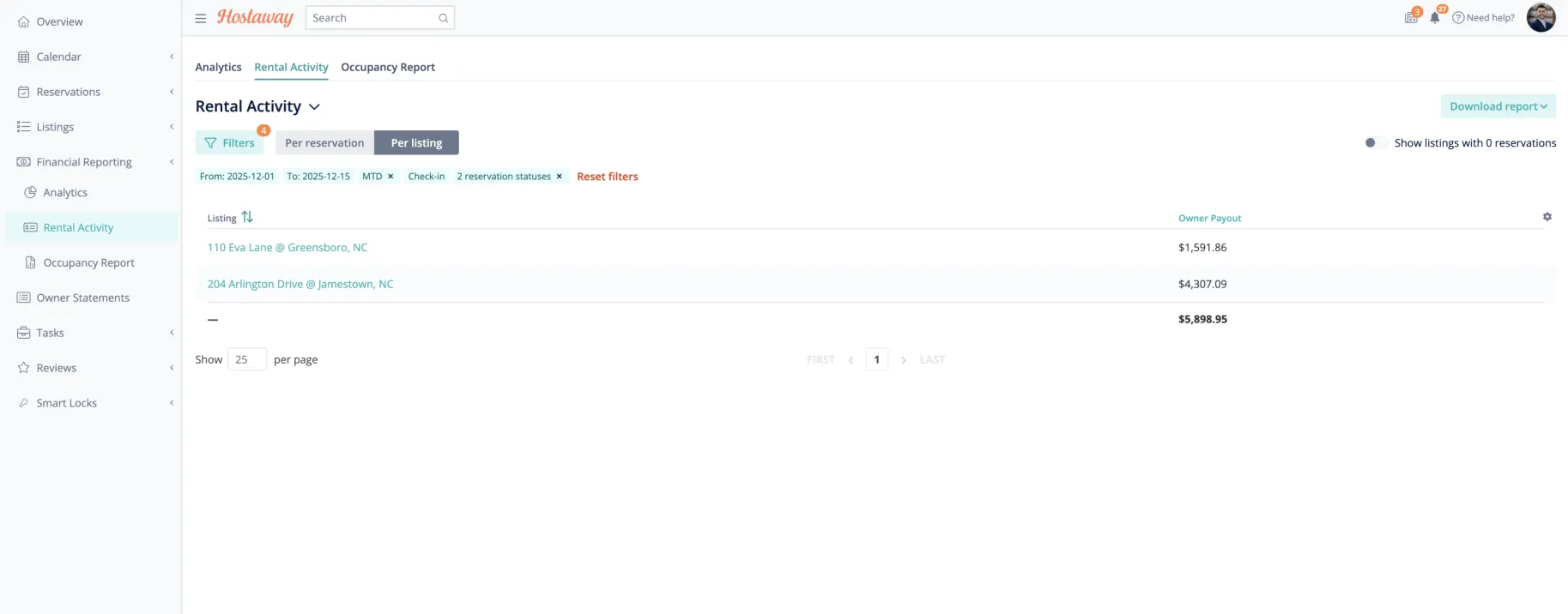
Choose Rental Activity reports depending on your goal:
Rental Activity: For income and taxes.

Apply Filters

Details of the report.

From this view you can easily see all reservations that occurred during the month as well as Total Nights, Booking Channel, Payouts etc.

1.
Set Date Range – Choose the month, quarter, or year.
2.
Group By: Select Per Listing to view details for each property that will roll up for the month.
3.
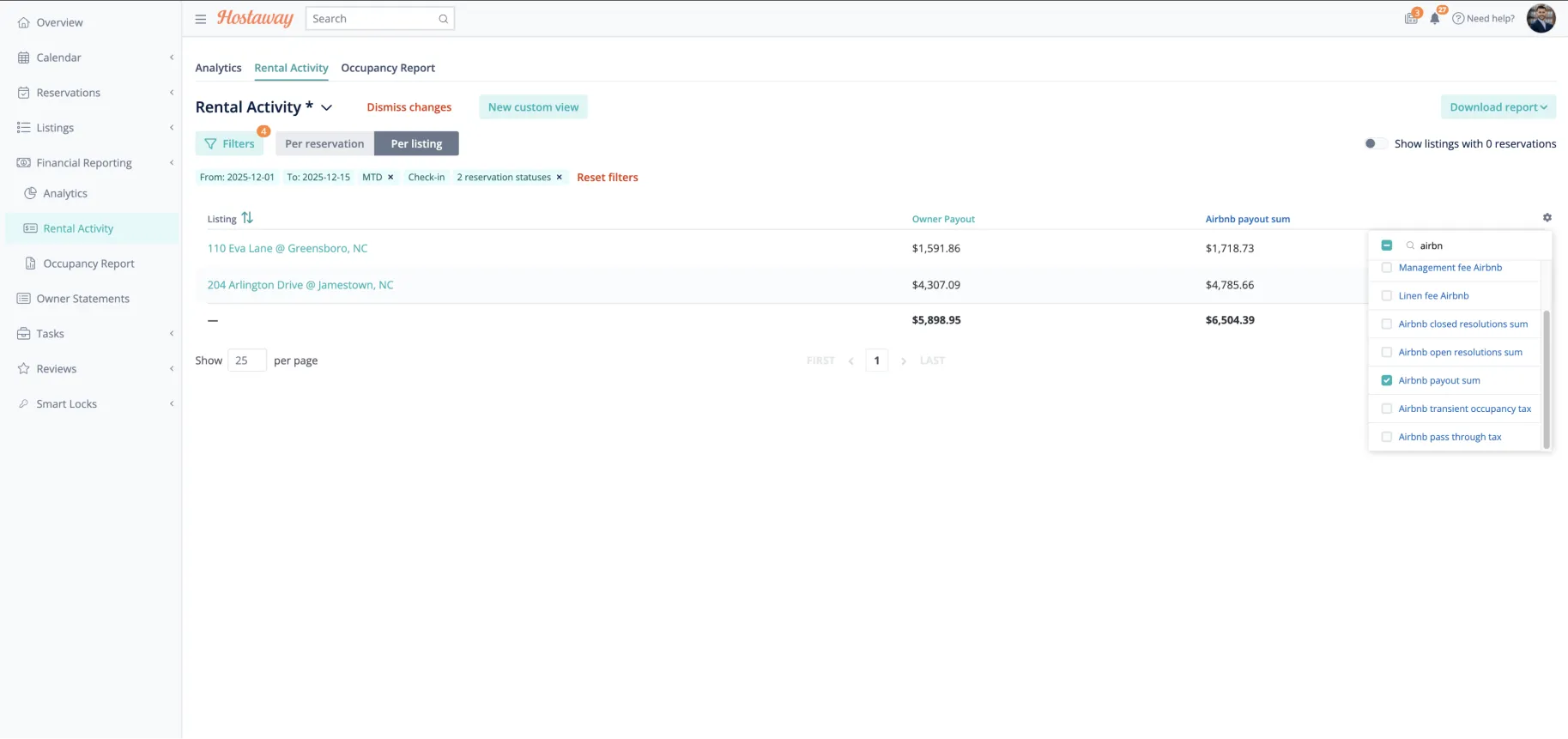
Adjust Columns by clicking the gear icon on the right side of the report headers.
Columns to Include:
• Total Price (Airbnb)
• Total Price (Direct)
• Total Nights (Airbnb)
• Total Nights (Direct)
• Channel
Tip: You can search for names of the columns, and you can remove unnecessary fields
like “Owner Payout” or “Rental Revenue” if you just need gross totals.

Export or Save

1.
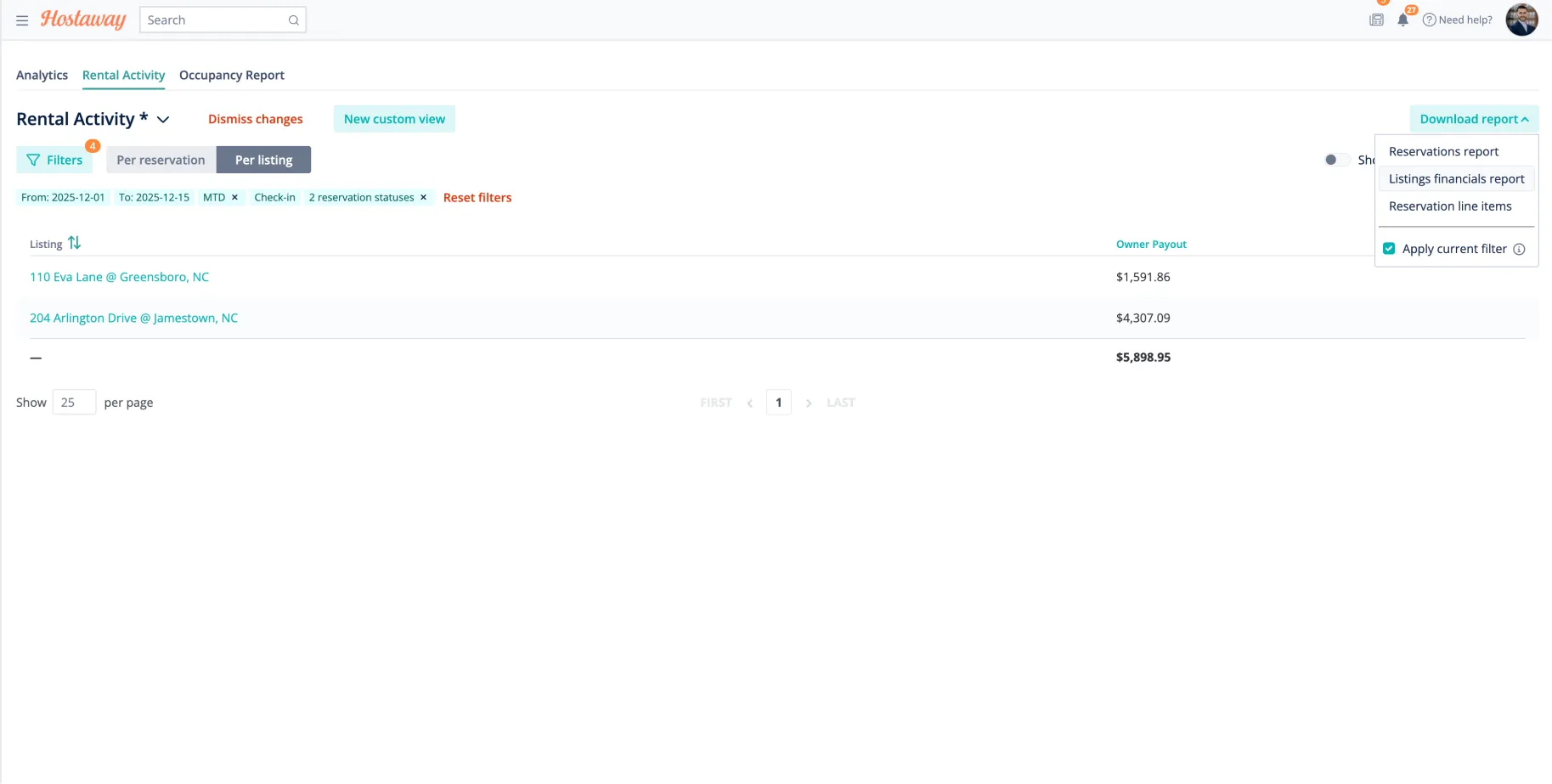
Click Download Report → wait for processing.
2.
Download Listings Financial Report for taxes.
3.
When viewing in Excel or Google Sheets:• Total Price (Airbnb)
• Convert “Total Nights” fields from currency to number format.
• Double-check that each booking is attributed to the correct channel (Airbnb vs Direct).

For Multi-Channel Owners

1.
If you manage both Airbnb and Direct bookings:
•Airbnb totals will show automatically under Airbnb.
•Direct bookings (including VRBO, Booking.com, or Stripe payments) should be grouped as Direct.

Next Steps

Triad will explore with Hostaway whether financial formulas can be saved automatically for each owner profile.
A potential integration with Clearing (trust accounting platform) and QuickBooks may replace manual reconciliation in the future.

FAQ

Have questions about how Triad’s management works? From pricing and marketing to customer support and owner taxes, our FAQs cover everything you need to know about partnering with us. Get clear answers and learn how we help you earn more - with less stress.
Every Question - Answered